Before signing in: prepare the bill
You need the current document, amount and reference requested by the particular banking payment. Check the supply address and due date. If an instalment arrangement exists, confirm with the supplier which reference and amount apply to your payment.
Also check that no direct debit or other scheduled payment is pending. If another household member pays bills too, coordinate before starting. Preparing the correct information helps prevent duplicate instructions and the accidental reuse of details from an older bill.
Open the official banking service
Use the bank’s verified website, preferably through a known address or a bookmark you have checked. Read the domain before signing in. Do not open banking from a message requesting urgent payment or an update to your credentials.
HTTPS is a useful technical feature but does not by itself establish the bank’s identity. If there is a certificate warning or an unusual process, stop and obtain help through the official channel. EPOS Electro does not host a banking login and does not need your personal credentials.
Select the correct function and recipient
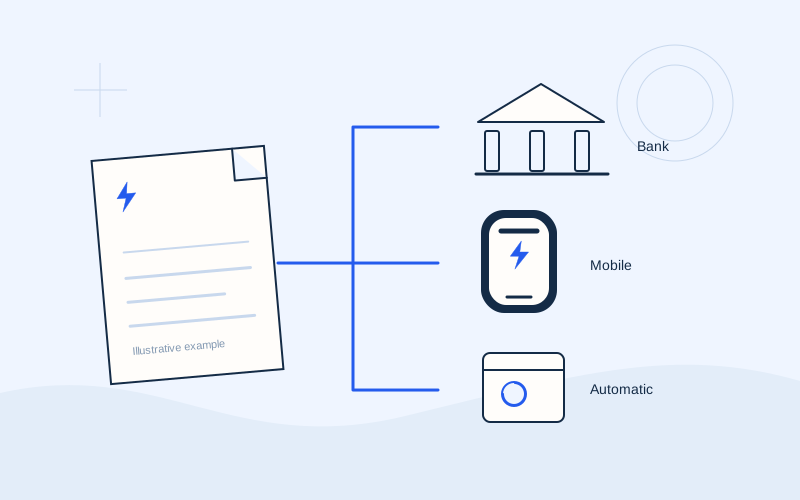
Look for the bill or organisation payment section, where your bank supports the supplier. Names and categories vary. Check the full recipient name and any description distinguishing different services offered by the same organisation.
If you cannot find the appropriate option, consult the bank’s instructions. Do not choose a similar name or improvise a money transfer. A bill payment and a bank transfer may require different information and follow different allocation procedures at the supplier. Clarify the method before submitting any instruction.
Enter and compare the reference
Use the payment code or reference identified on the bill for this method. A customer or supply number is not necessarily appropriate. When copying from a PDF, check the entire result for additional characters or spaces.
Compare the reference in the banking form with the document from beginning to end. An accepted code may have passed a format check, but you still need to confirm it came from the correct electricity supply. Do not publish real references when asking for assistance. Use official support where the label or format is unclear.
Check the debit account, amount and date
Select the account you intend to use and ensure available funds meet the service’s requirements. Enter the amount and inspect the decimal places. Read any charge disclosed by the bank before approval.
If future execution is available, keep scheduling separate from execution. Check the particular channel’s conditions against the bill’s deadline. We do not state one completion or account-update period that applies to every bank and supplier. If timing is critical, obtain information about your actual instruction from the organisations involved.
Approve within the official process
Read the summary before final approval. Check the recipient where displayed, amount, reference and date. If the bank requests confirmation through an app or another documented step, verify that the request concerns the transaction you just started.
Do not disclose a password, PIN, one-time code or recovery code to another person. Do not approve another instruction to fix an alleged technical problem. If your connection is interrupted, locate the transaction in the official history before repeating the process. An unclear screen alone does not establish that no payment exists.
Save the record and check the final status
Keep the official receipt or history entry. Notice whether it describes execution, scheduling or a pending instruction. A successful login and a saved form do not demonstrate payment. The record should let you identify the amount, date and particular transaction.
If the supplier does not show the payment, compare the reference and consult its official update information. For an incorrect amount or code, contact the bank and supplier using only the necessary details. For the next bill, review every saved template rather than mechanically repeating the previous amount. Saved settings are a convenience, not confirmation of the current bill.
Organise access and records after the session
Sign out when you finish, particularly if the computer is shared. Store the receipt alongside the corresponding bill in a location suitable for personal financial records. If support needs a copy, avoid including unrelated transactions or unnecessary account information.
For a recurring household routine, agree who reviews the bill and who submits the instruction. Do not share banking passwords as a shortcut to that arrangement. Use any official authorisation options your bank provides when another person needs access, and ask the bank to explain their scope.
Frequently asked questions
What if the supplier is absent from the list?+
Ask the bank whether it is supported and which function to use. Also check the supplier’s official options. Do not select another organisation because its name looks similar.
Is a scheduled payment already completed?+
No. It is an instruction for future execution. Check the actual status later and read the bank’s instructions, especially if funds change or cancellation is needed.
Can I send my credentials to obtain help?+
No. Do not disclose passwords, PINs or authorisation codes. Use official bank support for an explanation of the process. EPOS Electro does not need access to your banking account.
Sources and further reading
Alpha Bank · Payments through official banking channelsExternal links. Checked: 06.10.2026.Found something that needs correcting? Write to [email protected].
EPOS Electro is an independent informational website operated by ActivePhones. We provide general information about electricity bills and common payment methods in Greece. EPOS Electro does not process payments and is not an electricity supplier, bank or government authority.