1. Start with the correct bill
Use the document received through the communication channel you agreed with your supplier. Check the supplier name, customer details, supply address and billing period. If you manage several properties, a familiar amount is not enough to identify the right bill. Two documents can show similar totals while referring to different electricity supplies, customers or payment references. Make this identification before opening a payment screen so that you know exactly which obligation you are dealing with.
When you have several copies, compare the issue date and bill number. An older attachment, a reminder and a screenshot do not necessarily describe the current balance. If there may be a newer or corrected bill, check your official customer account or ask the supplier. Keep the relevant document available while you enter the payment. Avoid sending a complete bill to an unfamiliar person merely to ask whether it looks genuine: it can contain personal information about your household and account.
2. Find the payment deadline
Look for a label such as due date or pay by. The issue date and consumption period serve different purposes and do not replace the payment deadline. If several dates appear, read the label beside each one. A bank instruction scheduled for a future day is also different from a payment already executed, even when the instruction has been successfully saved. Treat the execution date as part of the payment details that require your attention.
Before choosing a day, read what the particular channel says about execution and payment reporting. There is no universal processing period stated here that applies to every bank and supplier. If the due date is close, an instalment arrangement exists or you have received an account notice, ask the supplier for precise instructions. Keep any relevant response with your payment record. A general guide does not extend a deadline or change the conditions agreed for your account.
3. Work out which amount you intend to pay
A bill may show a total amount payable, a previous balance, new charges and payments already recorded. Read how those figures relate before entering an amount. Do not copy an individual charge simply because it is prominently displayed. If you recently paid part of an older balance, compare the document with the current information available from the supplier. The aim is to understand the amount being requested, rather than to infer it from whichever number appears largest on the page.
The ability to enter a different amount in a form does not establish that partial settlement is accepted or that an instalment arrangement exists. Ask the supplier what amount and reference to use in that situation. Check the decimal separator carefully so that cents are not accidentally entered as whole euros. At the final review screen, read the payment amount again, together with any separate charge disclosed by the channel. Resolve an unexpected difference before authorising the instruction.
4. Use the appropriate payment reference
A payment code or reference helps connect the transaction with the appropriate account in the recipient’s system. It is not necessarily the same as the customer number, meter number or supply number. Use the field identified on the bill for the chosen method. If several references appear and it is unclear which one your bank requests, read the instructions or ask the supplier. Trying unrelated numbers until a form accepts one is not a reliable way to select the reference.
When copying from a digital document, check that no characters from an adjacent line have been included. When entering it manually, compare groups of characters from start to finish. If an official banking tool supports scanning, inspect the resulting details as well. A successful scan does not establish that you picked the correct document. Avoid random online code checkers and do not publish a real reference on a forum or social network. It is an account identifier that deserves sensible handling.
5. Choose a channel that fits your situation
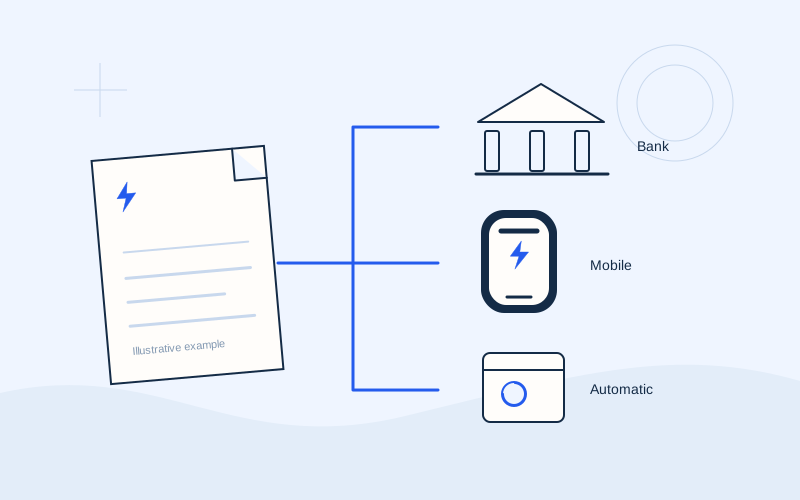
Common options include the supplier’s official website or app, online banking, mobile banking, direct debit and certain physical service points. Availability differs between organisations. A suitable choice depends on whether you want a single payment, already use digital banking or need a recurring arrangement. Begin with the methods listed on the actual bill or in the supplier’s current official information. Do not assume that an option mentioned in a general article is available for your contract.
Check whether signing in is required, what information you need, what receipt will be provided and what the channel says about charges. Different methods need not have identical costs or balance updates. Clarify any unfamiliar condition before submitting an instruction. EPOS Electro explains these choices but does not choose a debit account, collect banking information or transmit payment instructions. The transaction itself takes place in the official environment of the organisation you select.
6. When using the supplier’s website
Go to the official address you have verified from your bill or another reliable communication from the supplier. Inspect the full domain before signing in. A logo, advertisement or HTTPS symbol alone is insufficient to establish that a page belongs to the intended organisation. If the process moves to a partner environment, read the supplier’s own explanation of that transition and check that it matches the transaction you started. An unexplained destination deserves further verification.
Depending on the supplier, the process may differ for a signed-in customer and a single payment without an account. Follow the current instructions rather than treating a generic description as evidence that a particular field must exist. Review the amount, reference and transaction details before final approval. If someone asks you to send a banking code through a chat or phone conversation, stop and contact the organisation through an independently verified channel. Do not complete an unfamiliar instruction just because a message uses the supplier’s name.
7. When using online or mobile banking
Open banking in the way you normally use it, through the official app or a verified website. Locate the bill-payment function and the corresponding recipient, where supported. Menu names vary between banks. Do not improvise a transfer to a bank account because you cannot find the bill-payment option: you need instructions for a method the supplier accepts. Choosing a recipient with a similar name is also insufficient when more than one entry is available.
Select the debit account, enter the correct reference and amount, and read the summary. Check the execution date and any disclosed charge. Banking authentication belongs only within the bank’s verified environment or its documented authorisation process. Do not disclose a PIN, one-time code, password or recovery code to another person. After approving the instruction, return to the history and read its actual status, particularly if you selected future execution. A saved instruction and an executed transaction are different records.
8. When a direct debit is active
Check whether the arrangement covers this electricity supply and has become effective for the current bill. Submitting an application does not necessarily mean that the first bill will be collected automatically. Read the activation confirmation and the information your bank or supplier gives about the collection date and amount. Maintain sufficient available funds according to the instructions applying to your own arrangement. Do not rely solely on remembering that you once completed a setup form.
Avoid making a manual payment without checking when automatic collection is already expected. If both may occur, ask the bank and supplier which instruction is pending. Direct debit supports recurring payment, but you still need to read your bills. When changing supplier, closing a bank account or leaving a property, review separately what must change in the authorisation and which outstanding amounts remain. Cancelling a payment arrangement does not by itself resolve an underlying electricity account.
9. When using a physical service point
Confirm with the supplier which locations accept the particular bill and on what terms. A general sign advertising bill payments does not establish that every supplier is supported. Ask what you need to bring and whether a charge applies before completing the transaction. At a bank branch or another specified service point, provide only the information needed for that process. Keep the bill available so that the recipient and reference can be checked accurately.
Review the receipt before leaving: the amount, reference where shown, date and transaction information should let you recognise what was paid. Store the document securely and make a digital copy if helpful for your records. If the service point cannot explain when the supplier will record the payment, ask the organisation responsible. Do not rely on informal promises that are absent from the official instructions. A legible record makes later enquiries considerably easier.
10. Keep a useful payment record
Save the official receipt or history entry provided by the channel. Useful details include the date, amount, recipient, reference and transaction status. A picture of the screen before final approval records your intention rather than execution. Prefer a document stating the actual final status when available, and keep a scheduling confirmation separately. If the channel provides a transaction identifier, store it with the corresponding bill instead of relying on your memory.
Organise files by electricity supply and billing period so that you can retrieve them when needed. If support needs a receipt, use the official channel and conceal unrelated transactions or unnecessary account information. You should not have to send your entire banking history to explain one payment. EPOS Electro cannot confirm receipt of funds and does not need a copy of your transaction. The bank, payment channel and supplier are the relevant organisations for investigating its status.
11. If the screen closes or the result is unclear
After a connection interruption or error message, do not immediately repeat the payment. Reopen the official history and look for the instruction by amount and date. Read whether it is completed, scheduled, pending or failed, using the terminology of the organisation. The absence of a final screen proves neither success nor failure. An authorisation request on your phone can also require careful reading to establish which transaction it relates to.
If you cannot understand the status, retain the error message and transaction identifier where available, then contact the bank or channel handling the instruction. Ask specifically whether an active payment exists before attempting another. Do not approve an additional mobile notification simply to see whether it fixes the problem. Check the transaction described by each request. This approach helps prevent an uncertain result from becoming a duplicate payment that requires a separate investigation.
12. If the supplier still shows an unpaid balance
Separate two questions: what the payment history shows, and what the supplier’s customer account shows. The systems may not update simultaneously, but you should not assume that any delay is normal. Read the official information for the method used and compare the reference with the bill you intended to settle. An incorrect reference calls for investigation rather than waiting without checking. The payment record provides a useful starting point for that enquiry.
Send the necessary details of the executed transaction through the supplier’s official support channel and ask for its allocation to be checked. For an incorrect amount, duplicate payment or possible payment against another supply, describe what happened precisely. Correction, credit allocation or a refund depends on the actual transaction and applicable procedures. Do not assume that another payment will resolve the earlier uncertainty. Ask what action, if any, is required while the enquiry is being handled.
13. Build a simple routine for future bills
Keep three records separate: the bill, the payment instruction and the execution receipt. This makes it easier to see what was charged, what you approved and what happened. A personal reminder before the due date can help you review the information, but the day you choose should reflect the channel’s instructions and your own organisation. Include a check for a scheduled payment or direct debit before creating a new instruction.
If you pay for another household member, agree who handles each bill to prevent duplicate instructions. Keep banking credentials personal and use official authorisation facilities where required. Once finished, sign out on a shared device and store the receipt where only those who need it can access it. A consistent sequence of checks is more useful than trying to remember every detail at the last moment. Recheck the routine whenever a supplier, supply address or banking arrangement changes.
Frequently asked questions
Can I pay my bill on EPOS Electro?+
No. EPOS Electro provides information and guides. We do not operate a payment service, collect card details or need access to your banking account. Use your supplier’s or bank’s official channel after checking the details of the bill.
Is my customer number always the payment code?+
Not necessarily. Read the label on your bill and the field requested by the chosen method. If it is unclear which code identifies the payment, ask the supplier rather than trying different account or meter numbers.
Can I pay a smaller amount?+
This depends on the supplier’s conditions and any arrangement you have agreed. A banking form that lets you enter an amount does not create an instalment plan. Confirm the appropriate amount and reference with the supplier first.
When will the supplier update my balance?+
There is no single period covering every method. Read the channel’s and supplier’s information. If the result remains unclear, keep the official payment record and ask the responsible organisations to investigate the transaction.
What if I think I paid twice?+
Check the history for two separate instructions and read each status. Contact the payment channel and supplier with the transaction references. Do not assume that a refund is automatic, and never send banking credentials to support an enquiry.
Sources and further reading
Alpha Bank · Payments through official banking channelsExternal links. Checked: 06.10.2026.Found something that needs correcting? Write to [email protected].
EPOS Electro is an independent informational website operated by ActivePhones. We provide general information about electricity bills and common payment methods in Greece. EPOS Electro does not process payments and is not an electricity supplier, bank or government authority.